

How Are Dash Cams Powered in a Car?
Dash cams are often powered by the 12V accessory socket, a hardwire kit to the fuse box, or an internal battery or supercapacitor, and the best choice depends on parking needs, how clean the install should be, and whether the camera needs to move between vehicles. A wrong power setup can leave the camera dead, drain the battery, or miss parked incidents. This guide compares each setup and shows the exact power path for daily driving, parking protection, and temporary installs.
How dash cam power works
Many dash cams draw power from the vehicle while the engine is running. The camera converts that vehicle power into the lower voltage it needs, then records video as long as the power path stays active. When ignition power cuts off, a dash cam either shuts down, switches to parking mode, or keeps running from a separate source.
How the power behaves depends on where the cable is plugged in and whether the camera is built to keep recording after shutdown. Some vehicles keep the accessory socket live for a short time after the key is off. Others cut power immediately. That difference matters more than the camera label on the box.
How ignition status changes power delivery
With accessory power, the camera usually records only while the ignition is on. If the outlet turns off with the key, the dash cam stops too unless it has its own battery, a hardwire feed, or a separate parking solution. That is why parked recording is a setup question, not a camera feature by itself.
Most cameras come with a 12V power adapter cord, and many buyers start there because it is simple. But simple does not mean identical across cars. Outlet availability, adapter fit, and cable routing still decide whether the install is practical.
Which dash cam power setup fits your car?
The best setup depends on your use case, your car’s outlets, and whether you need the camera active after shutdown. Driving-only recording favors a plug-in source. Parking protection usually needs a hardwire kit or an external battery pack. Portable, temporary use can work with a built-in battery, but runtime is limited and temperature changes can shorten it further.
| Use case | Best power source | Install difficulty | Parking-mode support | Battery-drain risk | Cable visibility | When to avoid it |
|---|---|---|---|---|---|---|
| Daily driving only | 12V vehicle outlet | Low | No, unless the outlet stays live after shutdown | Low while driving, higher if left on in a live socket | Visible cable is common | Avoid if you need a clean, hidden install or parked recording |
| Short commutes and easy swaps | USB power | Low to medium | Usually no | Low while driving | Often visible | Avoid if the camera or adapter is not USB-compatible |
| Parking protection | Hardwire kit | Medium to high | Yes | Managed by cutoff settings, but still present | Lowest when routed well | Avoid if you are not comfortable with fuse-box wiring |
| Parked recording without using the car battery much | External dash cam battery pack | Medium | Yes | Lower on the vehicle battery | Usually moderate | Avoid if you want the cheapest possible setup |
| Portable or temporary use | Built-in rechargeable battery | Very low | Limited | None from the car while unplugged, but runtime is short | Minimal | Avoid for long parked coverage or hot cabins |
12V outlet, USB, or hardwire?
The 12V vehicle outlet is often the simplest common plug-in source for daily driving. It is convenient because you can install the camera quickly, but the outlet may already be needed for another device, and the cord is often visible across the cabin.
USB power can work on some dash cams, but compatibility depends on the camera and the vehicle or adapter. That matters because a USB port may not supply the right power output, and some cars turn those ports off with the ignition.
A hardwire kit connects the dash cam directly into the vehicle’s electrical system. Vantrue describes it as connecting to the fuse box, and that setup is best for parking mode and a cleaner permanent installation. Professional installation may be preferred for hardwiring, especially if fuse selection is uncertain.
Say your car has only one live 12V socket and you already use it for phone charging. A USB-compatible dash cam may still fit the setup, but only if the port or adapter supplies enough power and stays on when you need it. If the socket is dead with the ignition off, parking mode will not keep recording from that source.
A common first-timer mistake is assuming a hidden cable equals parking mode. It does not. If the outlet cuts off with the key, the camera shuts down unless you add a hardwire kit, an external battery pack, or a built-in battery that can bridge the gap for only a short time.
-
Check the intended use.
Decide whether you need driving-only recording, short-term parked recording, or a portable camera that moves between vehicles. That choice should come before the cable choice because it determines whether simple plug-in power is enough.
-
Confirm outlet behavior.
See whether the 12V socket or USB port stays on after ignition off. If it shuts down immediately, you cannot rely on it for parking mode.
-
Match the camera input.
Use the power source the model supports. A camera built for 12V input may not work correctly on every USB port, and a battery-focused compact model may be better for temporary use than a permanent install.
-
Plan the cable route.
Choose a path that keeps the wire away from pedals, airbags, and loose trim. A cleaner route also reduces the chance that the cable gets pulled loose during daily use.
How do you power a dash cam while parked?
Parking mode records when the engine is off, but it still needs a stable power source such as a hardwire kit or an external dash cam battery pack. Built-in batteries can cover only short gaps, so they are a poor fit for overnight protection.
Low-voltage cutoff protection matters because it shuts the camera down before the car battery gets too low. That feature matters when the dash cam stays awake for hours after shutdown. Without it, the camera can leave you with a weak starter battery the next morning.
Parking mode and battery protection
The same source notes that low-voltage cutoff protection can shut the dash cam down before the battery drops too low. That is the safety net for overnight use. It does not make parking mode free, but it does reduce the chance of draining the vehicle battery past a healthy level.
Vantrue also lists an external battery pack as reducing reliance on the car battery. That makes it a strong option for drivers who want parked coverage without leaning on the starter battery for every event.
-
Choose the parked-power source.
Use a hardwire kit if you want the dash cam tied to the fuse box and ready for parking mode. Use an external battery pack if you want to reduce stress on the car battery during long parked sessions.
-
Set cutoff protection.
Enable low-voltage cutoff at the level recommended by the camera or kit documentation. This keeps the camera from running the starter battery too low during long stops.
-
Verify ignition behavior.
Test whether the camera stays on after shutdown in parking mode. If it turns off immediately, the wiring path or power source is wrong for parked recording.
Picture a commuter car parked for 10 hours at an airport. A hardwired dash cam can keep watch the whole time if the cutoff settings are correct. A small internal battery camera may stop after a short clip or two, which is enough for a quick errand but not for a long absence.
When does a built-in battery make sense?
A built-in rechargeable battery makes sense for portability and short-term use. It can be useful for temporary installs, rental cars, or quick transfers between vehicles. It is not the best answer for long parked recording, and heat or cold can shorten useful runtime.
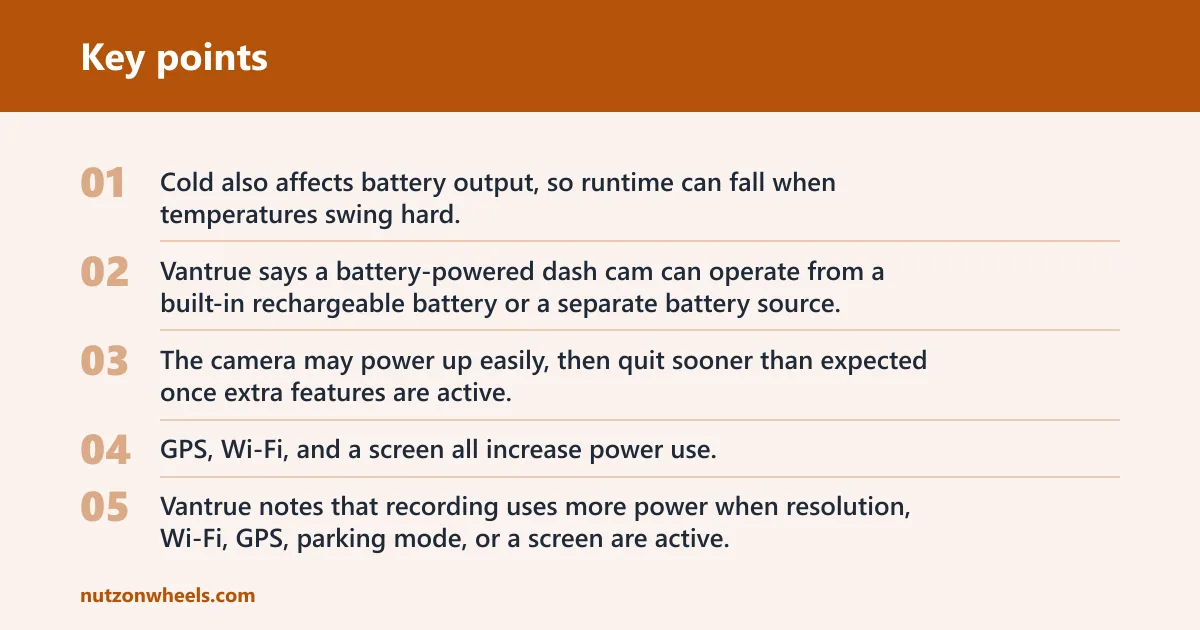
CNET notes that the 70mai M310 uses an internal lithium-ion battery, and that type is not recommended for extremely hot climates. That warning matters because cabin heat can be harsh, especially when a car sits in direct sun. Cold also affects battery output, so runtime can fall when temperatures swing hard.
Built-in battery tradeoffs
The same source says a battery-powered dash cam can operate from a built-in rechargeable battery or a separate battery source. That gives you flexibility, but the built-in option is still limited by capacity and conditions. The camera may power up easily, then quit sooner than expected once extra features are active.
GPS, Wi-Fi, and a screen all increase power use. The same source notes that recording uses more power when resolution, Wi-Fi, GPS, parking mode, or a screen are active. In battery-powered setups, that means a live display or constant wireless connection can shorten runtime faster than a basic recording mode.
Shared vehicles and rentals
Built-in battery models can make sense in rentals, shared cars, and fleet vehicles where you do not want a permanent wiring job. They are also easier to remove at the end of the day. The tradeoff is simple: portability improves, but parked-time reliability drops.
For long-term use, a built-in battery should be treated as a convenience feature, not the main plan. If your goal is overnight or multi-day protection, use a hardwire kit or an external dash cam battery pack instead.
Dash cam power changes that affect runtime
Power draw is not fixed. Resolution, Wi-Fi, GPS, parking mode, and a screen all use more power, and those settings can shorten runtime on battery-powered setups. Higher recording settings can also increase heat, which adds stress to compact batteries during long sessions.
The best dash cams have at least 1080P resolution, and many buyers want a rear camera too. A rear camera provides added protection beyond front-only recording, but more channels and higher-quality capture can raise power demand. That is fine on vehicle power. It matters more on internal batteries.
What increases power use
- GPS. Useful for location data, but it adds to the load.
- Wi-Fi. Handy for transfers and setup, but it uses power when active.
- Screen use. A live screen is convenient, then it becomes a constant draw if left on.
- Higher resolution. Better video detail usually means more work for the camera.
- Parking mode. This keeps the camera awake after shutdown and can stretch battery demand for hours.
If the camera needs to run for a full workday plus an overnight parking session, plug-in power alone may not be enough. That is where a hardwire kit with cutoff protection or an external battery pack becomes the better fit. For a short trip and quick stop, a simpler outlet-powered setup may be all you need.
Frequently asked questions
How are dash cams powered?
Most dash cams are powered by the car’s 12V accessory outlet, a USB connection on compatible models, a hardwire kit, an external battery pack, or a built-in battery. The right source depends on whether you want driving-only recording, parking mode, or a portable setup.
How does a dash cam work in a car?
A dash cam takes vehicle power, records video to a memory card, and shuts down or switches modes when the power source changes. If it is wired to a live source, it can keep recording while the car is running, and some setups can continue after shutdown for parking mode.
Do dash cams plug into the 12V outlet?
Yes. That is the most common plug-in setup, and most cameras come with a 12V power adapter cord. It is easy to install and good for daily driving, but the outlet may be needed for other devices and the cable is often visible.
Can you hardwire a dash cam?
Yes. A hardwire kit connects the dash cam directly into the vehicle’s electrical system and usually into the fuse box. That setup is best for parking mode and a cleaner permanent installation, though professional installation may be preferred if you are not comfortable with wiring.
Will a dash cam drain your car battery?
It can if it keeps running after the engine is off. Parking mode increases the risk, which is why low-voltage cutoff protection matters. An external battery pack reduces reliance on the car battery, and a hardwire kit is usually used with cutoff settings for safety.
Do dash cams need Wi-Fi or Bluetooth to power on?
No. Wi-Fi or Bluetooth is for setup, transfers, or app connection on supported models. The camera still needs a power source such as the 12V outlet, USB, hardwire, or battery. Active wireless features do increase power use, though.
